Now in Beta

Drop Pins.
Share Maps.
Coordinate Ops.

FieldOps is a real-time shared mapping app for teams in the field. Drop a pin โ€” everyone sees it instantly. Ground crews on a phone, support teams on a tablet, drone pilots on a controller, command on a desktop โ€” all on the same live map. Pilots fly to pins dropped by ground teams. Ground teams see what the pilot marks from the air. GPS coordinates, What3Words, notes, and photos โ€” shared the moment they're created. No accounts. No setup. Just open and go.

๐Ÿ“ Command
Pin Dropped
FieldOps fire pin on satellite map
Team Online
6 Active
Map Layer
Satellite
Pins Dropped
12

Built for the field, not the office

Every feature designed for gloved hands, bright sunlight, and zero cell signal patience. FieldOps works when it matters.

๐Ÿ“

Live GPS Pin Drops

Tap to drop a pin from the field. Every team member sees it instantly on the shared map โ€” GPS coordinates, What3Words address, notes, and custom pin types.

๐Ÿ—บ๏ธ

Shared Operations Map

One live map for the whole team. Street, satellite, topo, and hybrid layers. See all active pins, pilot positions, and areas of interest in real time.

๐Ÿ”ค

What3Words Integration

Every pin automatically generates a What3Words address. Communicate precise locations over radio without reading GPS coordinates.

๐Ÿ“‹

SGI Waiver Auto-Fill

Pull pilot and drone data directly into SGI waiver forms. No retyping credentials in the field โ€” select a pilot and aircraft, and it's done.

๐Ÿ‘ฅ

Team & Drone Roster

Manage your pilots, observers, and aircraft in one place. FAA cert numbers, battery counts, flight hours โ€” always current, always accessible.

๐Ÿ”

PIN-Based Access Control

Three access levels โ€” Admin, User, and Viewer โ€” each with its own PIN and shareable link. Temporary PINs for visiting personnel with auto-expiration.

๐Ÿ“น

Livestream Integration

Share live video feeds from the field. Command staff can watch drone operations in real time without being on scene.

Requires MapNova
๐Ÿ“„

Mission Reports

Auto-generate mission report PDFs. Pins, timestamps, team activity, and flight data compiled into a clean after-action report โ€” ready to file or export.

๐Ÿ“ฆ

Offline Maps

Download map tiles for your operating area before you leave cell coverage. Full map functionality in the field โ€” no signal required.

๐ŸŽฏ

Drag-to-Deploy

Drop pins for each team member or unit, then drag them to their assigned positions on the map. Every move updates in real time โ€” the whole team sees the deployment plan without a radio call.

๐Ÿ 

Parcel Boundaries

Tap any property to see the owner, address, acreage, and GPS coordinates. Auto-pans to keep the popup in view. Download county parcel data for offline use. Currently available in select counties โ€” more added on request.

โš™๏ธ

Setup Wizard

Choose your use case โ€” Wildland Fire, SAR, Deer Recovery, Tactical, MCI โ€” and FieldOps configures your pin types, categories, and workflow automatically. Ready to operate in seconds.

๐Ÿ“‘

Recovery Reports

Deer or livestock recovery reports โ€” download a clean PDF with every pin, GPS coordinate, timestamp, and note. Hand it to the customer or file it for your records.

โœ…

Property Permissions

Tap any parcel and mark it Granted, Denied, or N/A. Color-coded borders show permission status at a glance โ€” green, red, or orange. Notes and status saved per operation.

Runs on your controller

FieldOps works on DJI Enterprise controllers right out of the box. No sideloading, no companion app โ€” just open the browser.

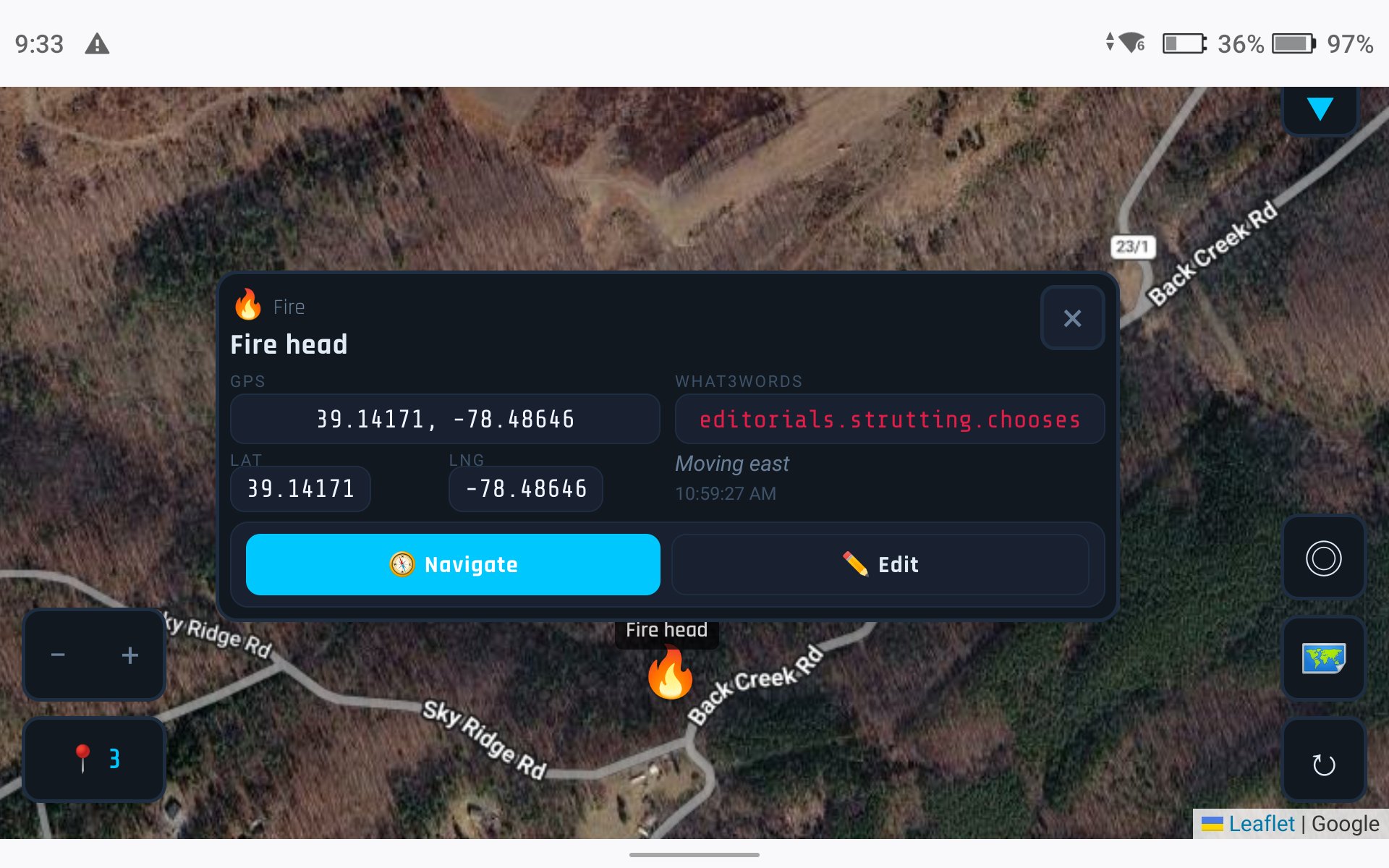
FieldOps running on DJI RC Pro controller

DJI RC Pro Compatible

Open FieldOps in the controller's built-in browser. Drop pins, view the shared map, and coordinate with your team โ€” all from the same screen you're flying on.

The two-column layout adapts automatically for landscape mode, putting GPS data and What3Words side by side for quick reading at a glance.

DJI RC ProDJI RC PlusAny Android Controller

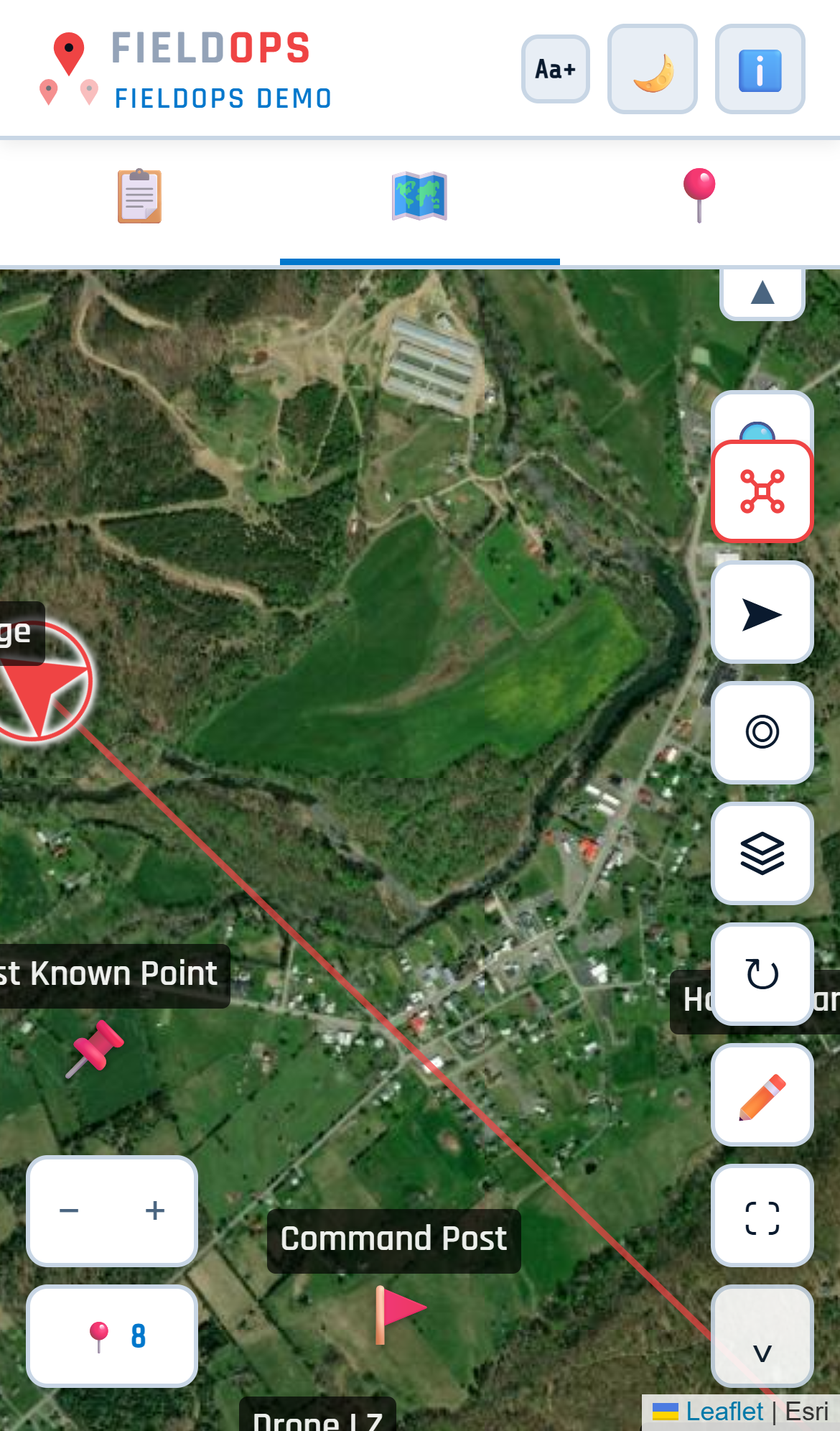
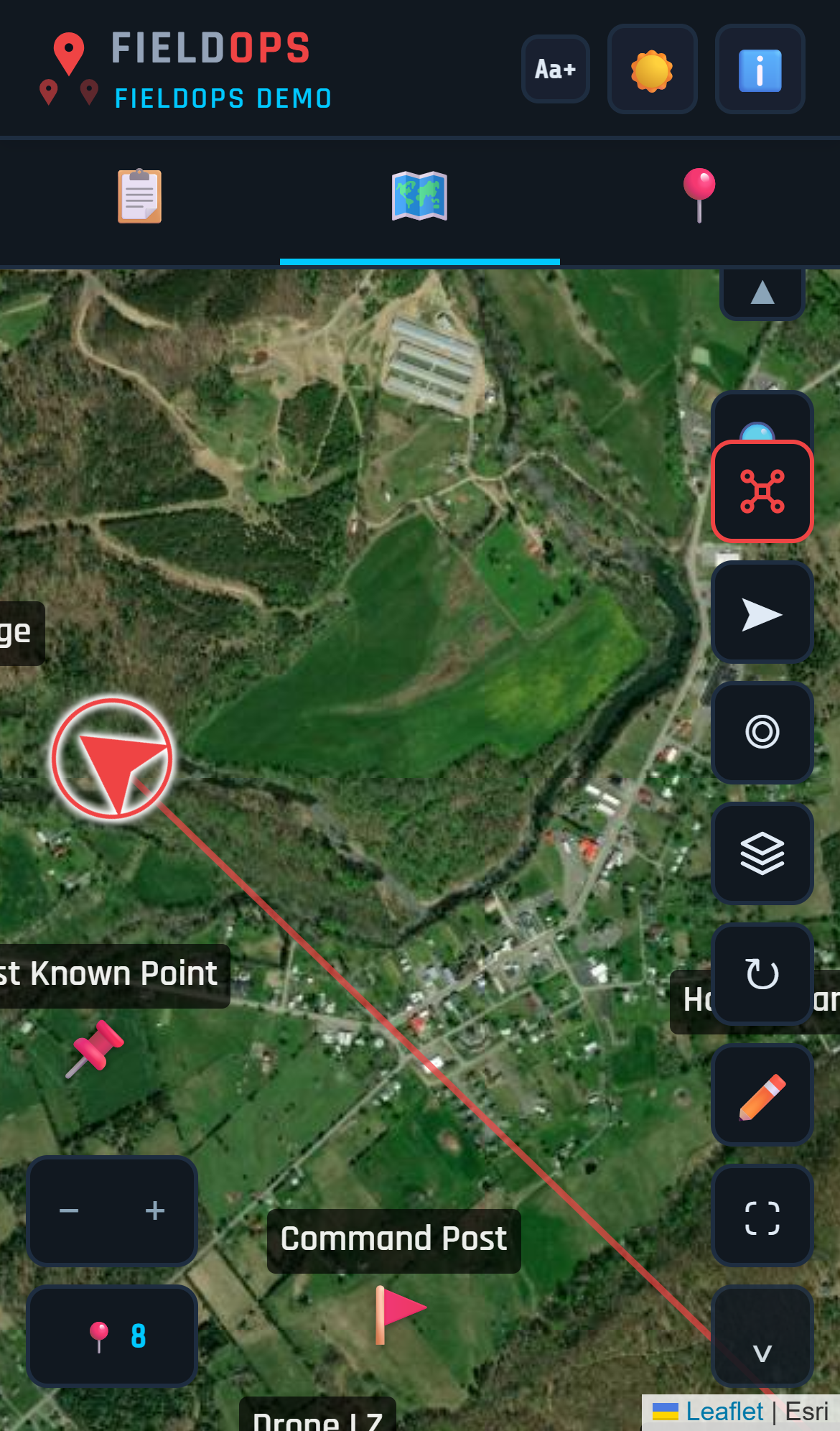
Dark mode. Light mode. Your call.

Toggle between dark and light themes with one tap. Dark mode for night ops and bright sunlight glare. Light mode for indoor briefings and print-friendly views.

FieldOps light mode
FieldOps dark mode
LightDark

Built for teams that fly when it counts

FieldOps was designed alongside real drone programs running real operations.

Fire Rescue

Fire Departments

Wildfire mapping, structure assessment, scene documentation. Pin hotspots, track crews, share aerial feeds with command.

Search and Rescue

Search & Rescue

Grid search coordination, POI marking, area clearance tracking. Every searcher sees every find in real time.

Law Enforcement

Law Enforcement

Scene documentation, traffic reconstruction, tactical overwatch. Secure team-only maps with PIN access.

Emergency Management

Emergency Management

Damage assessment, resource deployment, incident mapping. Multi-agency coordination on a shared operational picture.

Drone Deer Recovery

Drone Deer & Livestock Recovery

Spot a thermal hit, drop a pin, and guide the hunter straight to it. GPS coordinates, property boundaries, and a clean recovery report โ€” all from the air.

Outdoor Recreation

Outdoor Recreation & Field Teams

Any group that needs to share locations and coordinate in the field โ€” from trail hikes to ranch work to construction sites.

๐ŸŽฎ

Location-Based Games

Coordinate raids, share rare spawns, and plan routes with your group in games like Pokรฉmon GO, Ingress, and more. One shared map, no app download needed.

Plus hundreds of other uses

Hiking & Trail Groupsโ–ผ
Group leader drops pins for waypoints, rest stops, and points of interest. Everyone sees the route on their phone in real time. Use Follow Me to track each other's progress on the trail. Share the map with a QR code at the trailhead โ€” no app download needed.
Hunting Partiesโ–ผ
Mark tree stands, ground blinds, drives, and property boundaries on a shared map. Everyone sees where each hunter is positioned โ€” critical for safety. Use parcel overlays to confirm property lines and permission status before the hunt.
ATV & Off-Road Groupsโ–ผ
Share trail pins and mark obstacles, washouts, gates, and rally points. Download offline maps before heading into areas with no cell signal. The whole group stays on the same map even when spread across miles of trail.
Event Coordinationโ–ผ
Pin stations, checkpoints, parking areas, first aid, and volunteer positions for festivals, races, and community events. Share the map via QR code on flyers or at registration. Update positions in real time as the event unfolds.
Farm & Ranchโ–ผ
Mark fence breaks, downed trees, livestock sightings, water sources, and equipment locations. Use parcel overlays to see property boundaries. Share the map with ranch hands or neighbors. Offline maps work in areas with no signal.
Construction & Surveyโ–ผ
Mark corners, utilities, access points, and hazards. Share the live map with field crews, inspectors, or subcontractors via QR code. GPS coordinates and What3Words on every pin make it easy to communicate exact locations.
Real Estate & Landโ–ผ
Walk a property and pin features โ€” well, septic, corners, views, access roads, streams. Share the pinned map with a buyer or agent. Parcel overlays show boundaries, owner info, and acreage. GPS data makes every pin verifiable.
Location-Based Gamesโ–ผ
Coordinate with your group in games like Pokรฉmon GO, Ingress, Monster Hunter Now, and more. Share raid locations, mark rare spawns, and plan Community Day routes together. Drop a pin when you spot something โ€” everyone sees it instantly. Share the map via QR code so anyone can join in seconds.

Four steps. Zero friction.

Your team is operational in under a minute. No app store. No accounts. No training day.

1

Open your link

Each department gets a dedicated subdomain. Open it on any phone, tablet, or controller โ€” it's a PWA, installs like an app.

2

Enter your PIN

No email, no password, no account. Team members enter a shared PIN and they're in. Field-ready in seconds.

3

Drop pins

Tap the map to mark points of interest. Add notes, photos, categories. Every pin syncs to the shared map instantly.

4

Coordinate

The whole team sees every pin in real time. Command has the same picture as the pilot. Everyone's on the same map.

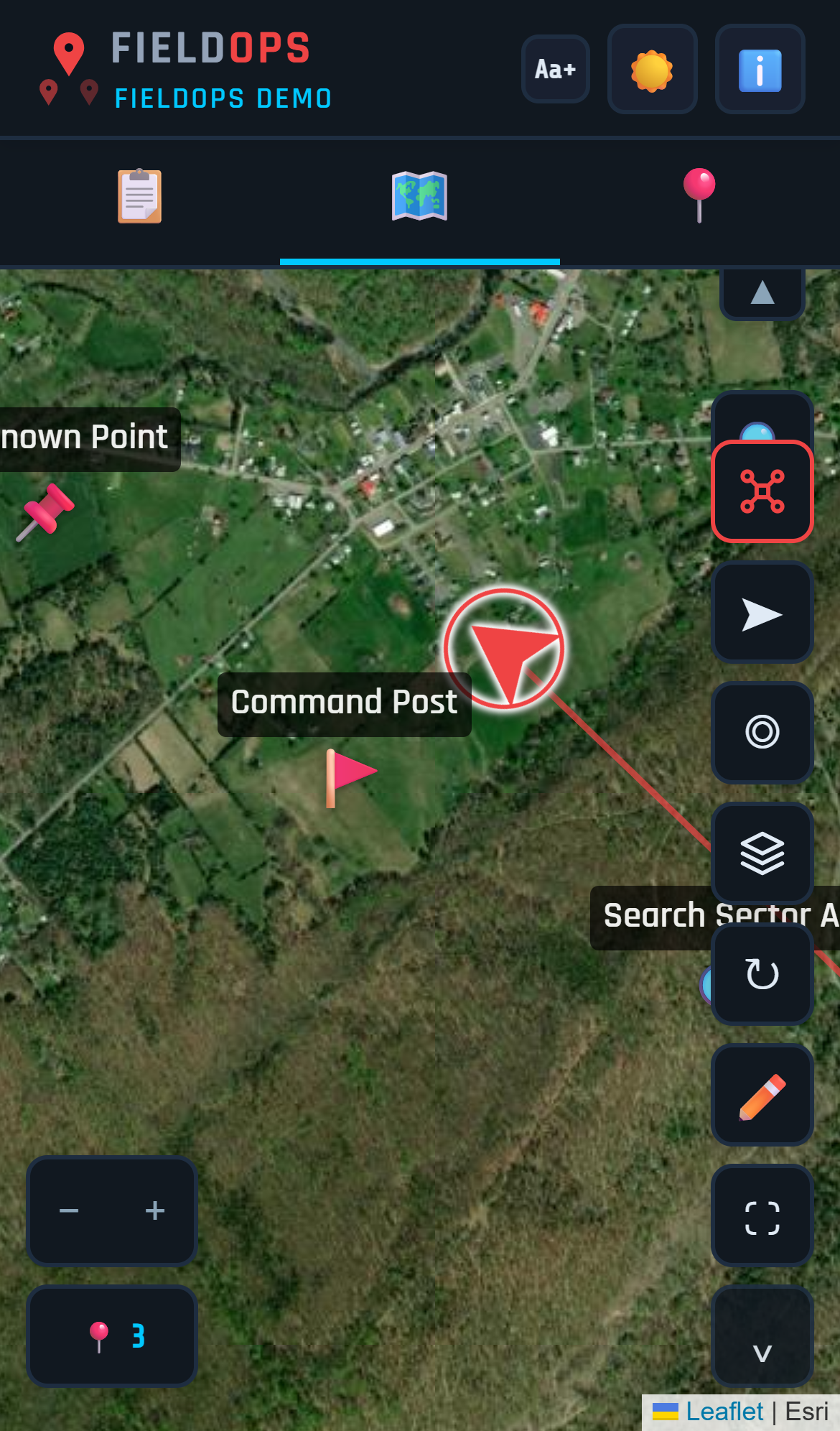
Position your team from the map

Drop pins for each unit or team member, label them, and drag them into position. Everyone on the team sees the deployment plan update in real time.

FieldOps team deployment on satellite map

Now accepting departments for beta testing

FieldOps is in active beta with select partner agencies. We're accepting departments ready to modernize their field ops. Submit your info and we'll review your request and set up your account.

Request Beta Access

Request beta access

Tell us about your team. We'll review your request and set up a dedicated FieldOps instance for your department.

What you get

A fully configured FieldOps instance on your own subdomain. Your team roster loaded. Your drones registered. Ready to fly in minutes, not months.

Jacob Kirk

Owner, Sky Scout

Volunteer Firefighter and EMT in training with Capon Springs Volunteer Fire & Rescue. Part 107 licensed remote pilot. Built FieldOps to solve the coordination problems he saw firsthand in the field.

FieldOps Trial

Try FieldOps

No signup required
  • Real-time shared map with GPS pin drops
  • What3Words on every pin
  • Search by address, GPS, or What3Words
  • Multiple projects and operations
  • Offline maps
  • QR code sharing
  • DJI Enterprise controller support
  • Dark and light mode
Limited to 1 project, 10 pins, 24-hour session. See all features
Open in Browser
or send the link to your phone

All Features

Mapping & Navigation
  • Real-time shared map with GPS pin drops
  • What3Words address on every pin
  • Street, Satellite, Topo, and Hybrid map layers
  • Search by address, GPS coordinates, or What3Words
  • Offline maps โ€” download tiles for areas without cell signal
  • Follow Me breadcrumb trail
  • Navigate to any pin
  • Drag-to-deploy โ€” move pins to assign team positions
  • Pin labels visible at zoom
  • Dark and light mode
Pin Types & Categories
  • Pin type library with suggested labels
  • Search & Rescue pin category
  • Recovery & Thermal pin category
  • Incident Command pin category
  • Mass Casualty pin category
  • Setup Wizard auto-configures pin types for your use case
Property & Parcels
  • Parcel boundary overlays with offline storage
  • Tap any parcel for owner name, address, acreage, GPS
  • Property permissions โ€” Granted, Denied, N/A with color-coded borders
  • Copy parcel info to clipboard
  • Available in select counties โ€” more added on request
Team & Access
  • Team and drone roster management
  • Named member accounts with roles and PINs
  • PIN access control โ€” Admin, User, Viewer
  • Temporary PINs with auto-expiration
  • Request Access flow for visitors
  • Role-based project visibility
  • QR code sharing
  • Multiple projects and operations
  • Copy Project
Reports & Documents
  • Auto-generate mission report PDFs
  • Deer or livestock recovery reports
  • FAA SGI waiver auto-fill
  • Department SOG hosting (PDF or URL)
  • Workflow Guides for Wildland Fire, SAR, Deer Recovery, Tactical, MCI
Integrations & Platform
  • DJI Enterprise controller support
  • Livestream integration (MapNova)
  • AI assistant
  • Subscription tiers โ€” Scout, Ranger, Command
  • PWA โ€” installs like a native app
๐Ÿ’ฌ
๐Ÿ’ฌ Ask about FieldOps
Hi! I can answer questions about FieldOps โ€” features, use cases, setup, pricing, whatever you want to know. Ask away.